We Need to Talk About How Gross Modern Web Design Has Become (And How We Built an AI to Catch It)
Let me paint a picture I know you’ve experienced recently.
You’re trying to book a flight, buy concert tickets, or just download a simple PDF converter. Suddenly, the website turns into an absolute warzone:
🚨 "ONLY 2 SEATS LEFT AT THIS PRICE!" ⏳ A blood-red countdown timer ticks down from 05:00. 🟢 Three massive, glowing "DOWNLOAD NOW" buttons appear, and you know two of them will install malware. 🥺 And when you try to close the popup? The only button says, "No thanks, I'd rather pay full price and be miserable."
We call this "marketing." But let’s be honest: it’s just deceptive engineering.
These are Dark Patterns—UI/UX choices intentionally designed to trick, guilt, or force you into doing things you didn't want to do. And honestly? It’s getting gross. As developers, we build the web. We shouldn't be okay with the web actively manipulating its users.
So, my team at Tarkash Labs decided to fight back. We built a cognitive visual shield to catch these patterns in real-time.
Meet OmniGuard AI.
{% youtube vR4NOdhGkRE %} (Watch the 1-minute demo above to see it catch fake timers and hidden fees live!)
🛡️ How OmniGuard Works (The Tech Stack)
The problem with most ad-blockers or privacy extensions is that they rely on static blocklists or CSS selectors. But modern dark patterns are dynamic. They are disguised as regular DOM elements.
To catch them, we needed a tool that could see the web exactly how a human sees it.
We built OmniGuard as a Manifest V3 Chrome Extension powered by a FastAPI backend and Gemini 3.7 Flash.
Here is the exact flow:
1. The "Eyes" (React 18 + Vite Extension): When you click "Scan" (or enable auto-scan on scroll), the extension captures an ephemeral, highly compressed screenshot of your active viewport.
2. The "Brain" (FastAPI + Gemini 3.7 Flash): The image is sent to our stateless FastAPI backend. We use Gemini 3.7 Flash’s multimodal capabilities to analyze the visual context of the page. It doesn't just read the code; it understands how the UI looks.
3. The "Shield" (Shadow DOM Injection): If Gemini detects a dark pattern, the backend streams the exact coordinates back to the extension. We then inject a Shadow DOM layer over the page, drawing glowing red bounding boxes precisely over the deceptive elements—completely isolating our CSS from the host page's styles.
🕵️♂️ The 6 Villains We Hunt
OmniGuard is currently configured to detect six specific categories of visual deception. Here is how it catches them in the wild:
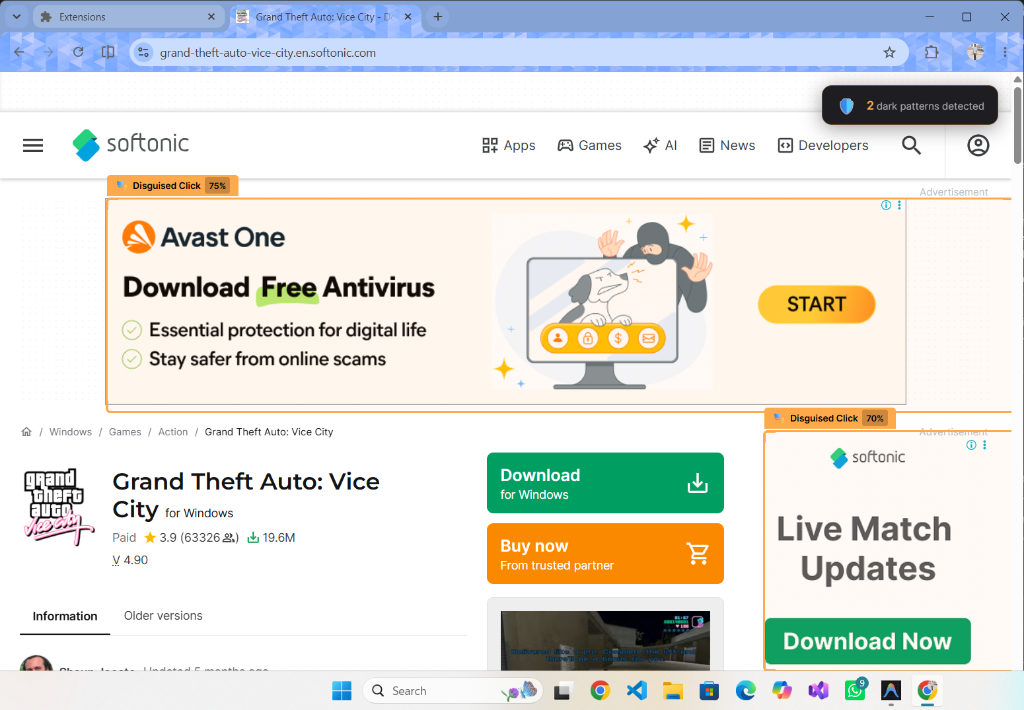
1. Disguised Clicks
Buttons masquerading as something else (like fake downloads that lead to ads or malware).
2. Confirmshaming
Guilt-loaded opt-out language designed to make you feel bad for not subscribing.

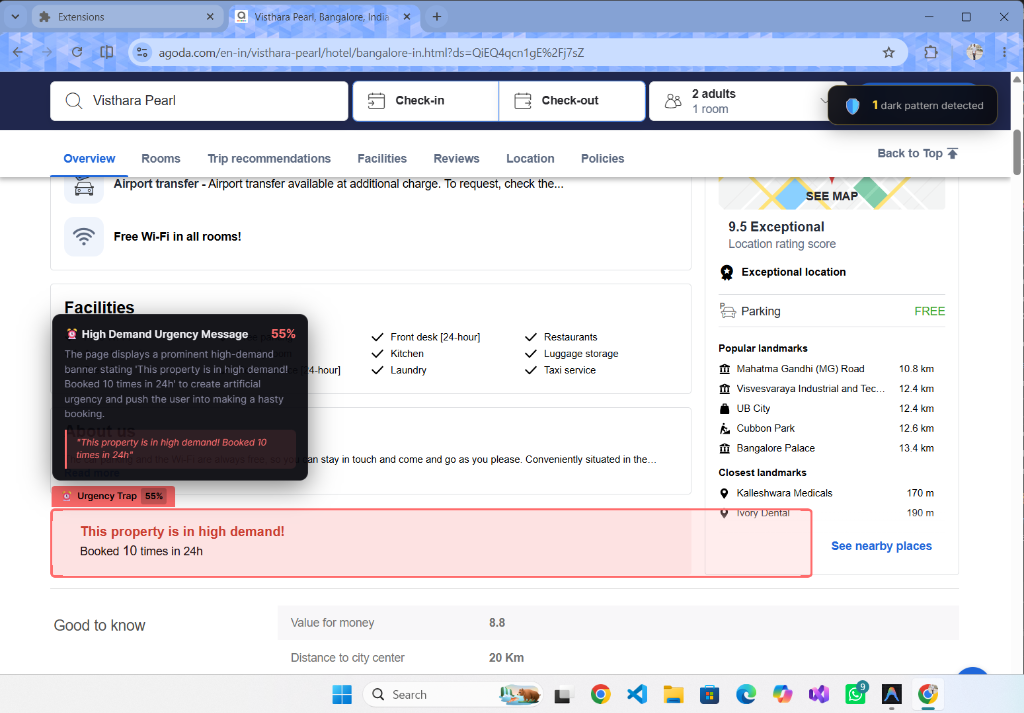
3. Urgency Traps
Fake countdowns and artificial scarcity messages.
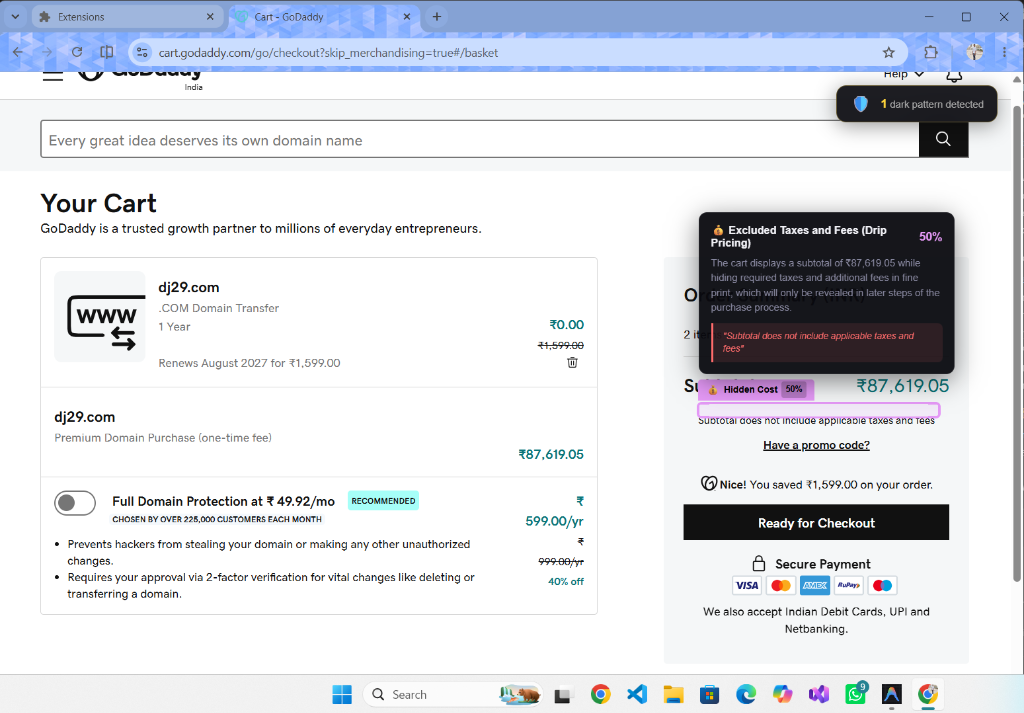
4. Hidden Costs (Drip Pricing)
Fees and excluded taxes that magically appear at the very end of a checkout journey.
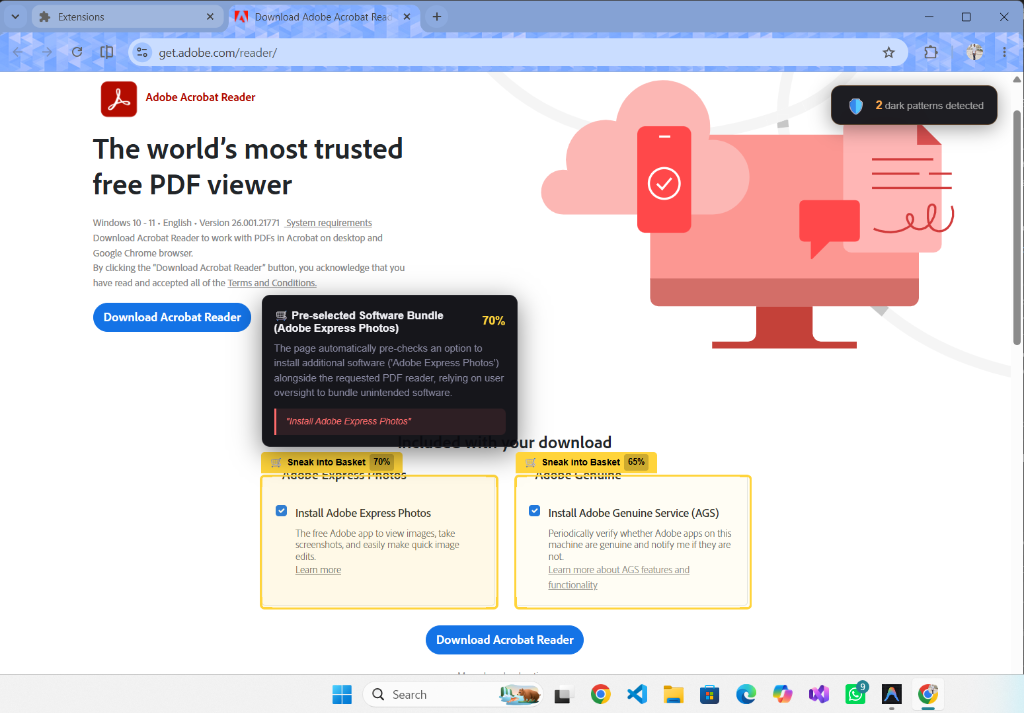
5. Sneak into Basket
Unwanted software bundles or insurances silently pre-checked during a download or checkout.
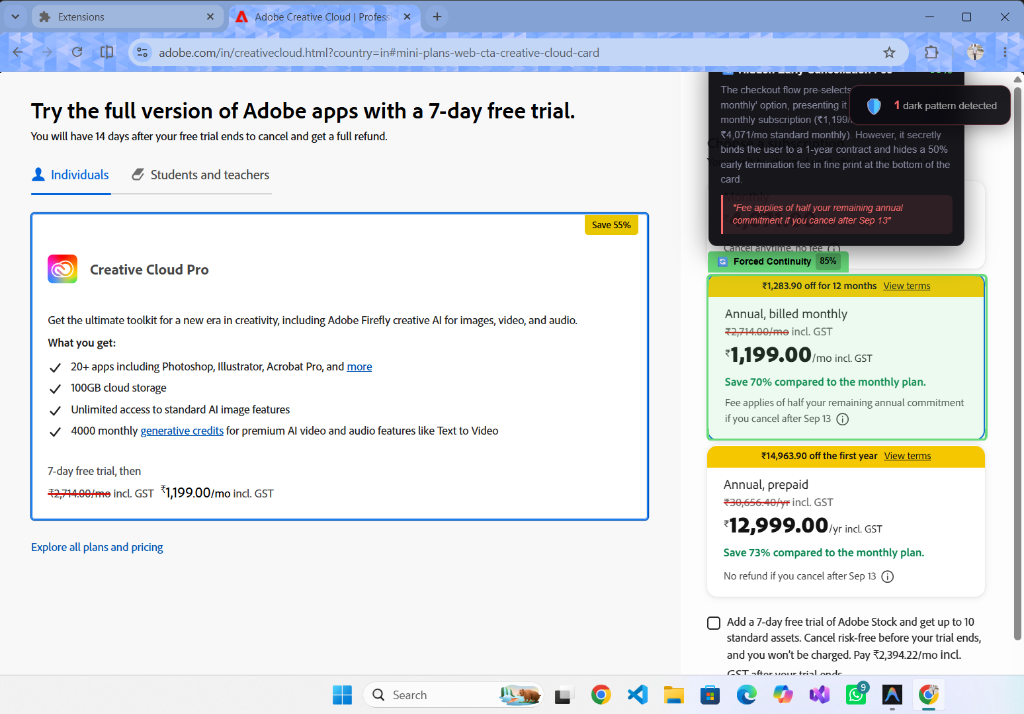
6. Forced Continuity
"Free trials" that hide their aggressive auto-renewal terms in the fine print.
🔒 Zero-DB Privacy Architecture
One of the biggest challenges of building an AI extension that takes screenshots of your browser is privacy. We knew from day one that if we were building a tool to protect users, we couldn't compromise their data to do it.
That’s why the OmniGuard backend is 100% stateless. It uses a zero-DB architecture. The viewport screenshot exists only in memory for the milliseconds it takes Gemini to process it, and is then immediately destroyed. Nothing is ever saved, logged, or stored.
💻 Try It Yourself (Open Source)
We’ve open-sourced the entire project. If you want to see how we handled Manifest V3 tab capturing, or how we prompted Gemini Flash for UI coordinate mapping, you can check out the repo here:
{% github Tarkash-Labs/OmniGuard %}
Massive shoutout to my teammates Yug Vasava (Lead Dev) and Avadh Vaishnani (Lead QA) for helping bring this to life.
👇 Now, I need to know...
We are constantly trying to improve the AI's detection capabilities.
What is the most unethical, infuriating, or downright gross dark pattern you’ve seen a company use recently?
Drop it in the comments below so we can train OmniGuard to catch it! 🚀